
AgroDesk
Specially designed for Ginger traders
The full ginger trade desk — purchase estimation & slips, trader orders with chalan, account statement, expense tracking, toli labour, branded prints, and an in-app AI assistant.

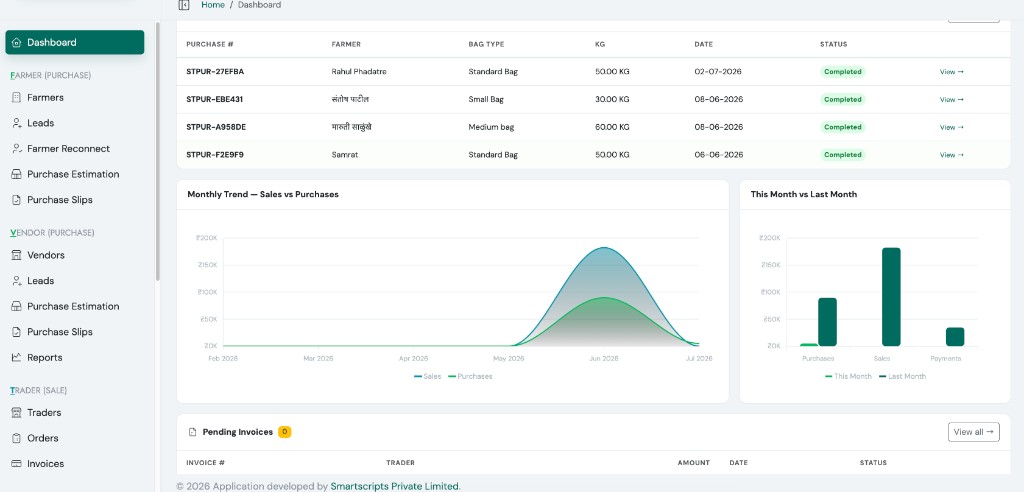
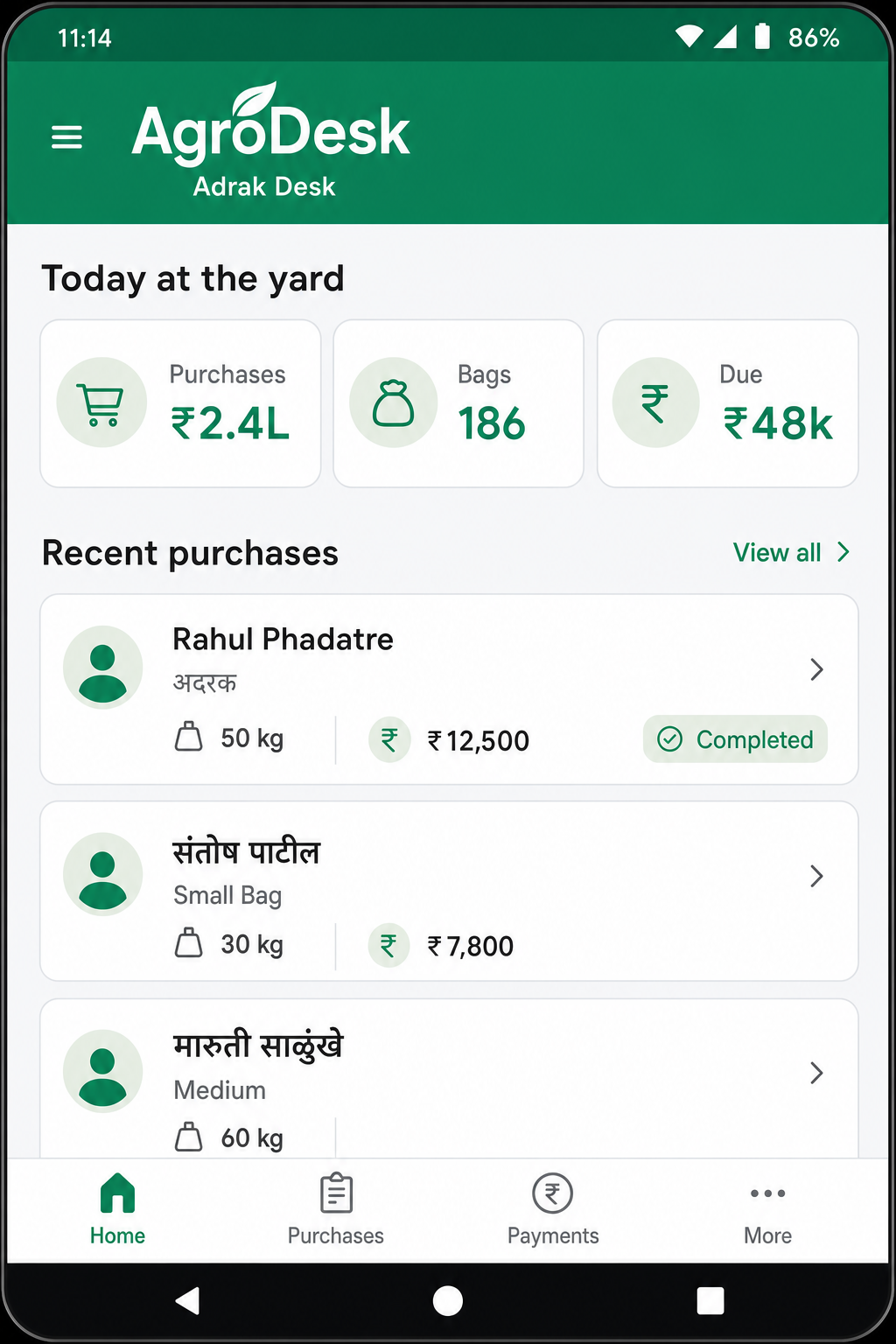
For Ginger trade
Built around the ginger yard
From village purchase to trader dispatch — AgroDesk mirrors how Ginger traders actually work every season.
Why Ginger traders choose AgroDesk
Season work, without paper chaos
Paper registers, WhatsApp rates, and scattered Excel sheets break down when the yard gets busy. AgroDesk keeps farmer purchase, vendor supply, and trader sale in one Ginger-first workspace — with Marathi-friendly flows and print slips under your company name.
- Purchase estimation that matches the yard Capture Ginger lots with bag type, kg, and rate per kg — so estimation and final purchase stay aligned on busy market days.
- Same-day farmer & vendor slips Print or share settlement slips before the day closes, with your logo and company details on every document.
- Full cash-flow account statement See farmer payouts, vendor payments, trader receipts, and expenses in one statement — with date filters and print.
- Chalan & advance on trader orders Confirm dispatch with vehicle details and record advance payments at chalan — receipts flow straight into your books.
- Toli labour & expense tracking Pay labour groups, track operating expenses, and keep yard costs visible alongside purchase and sale.
- Office web + yard Android Run books from the desk on web, and capture purchases in the field on Android — one ledger, two places of work.
- Private workspace for your firm Each subscriber gets an isolated Ginger desk with their own farmers, vendors, traders, and branding — not a shared spreadsheet.
A typical trading day
Log farmer & vendor ginger loads — bag type, kg, rate — from web or Android while the market is live.
Finalize purchase slips, pay farmers & vendors, and run toli/labour payouts from one finance view.
Confirm chalan with vehicle details, record advance, generate invoices, and track balance due.
Pull account statement, export purchase/sale reports, and print ledgers under your company brand.
Full platform
Every module your desk needs
AgroDesk mirrors the admin panel — grouped the same way your team navigates purchase, sale, finance, operations, and support every day.
Farmer (Purchase)
- Farmers, leads & Farmer Reconnect
- Purchase estimation & slips
- Farmer payments & purchase reports
Vendor (Purchase)
- Vendors & vendor leads
- Vendor purchase estimation & slips
- Vendor payments & reports
Trader (Sale)
- Traders, orders & invoices
- Chalan, advance & receipts
- Trader sale reports & ledgers
Finance
- Account statement (full cash flow)
- Expense management & categories
- Farmer, vendor & trader ledgers
Operations
- Vehicles, bag types & marka
- Toli/labour groups & wage slips
- Custom expense field templates
Support & Admin
- AI assistant, help center & tickets
- Notifications & callback requests
- Users, activity logs & branding settings
How it works
From subscription to daily trade
Three steps from signup to a live ginger desk — workspace provisioned, branding configured, and ready for the season.
Subscribe
Choose a plan and claim a private Ginger-trader workspace with your company name and branding.
- Business profile & logo
- Plan suited to your yard size
Provision
Your isolated database and admin login are created automatically — no IT team required before the season opens.
- Secure tenant database
- Ready-to-use admin access
Trade
Capture purchases in the field, settle payments at the desk, and invoice traders from one Ginger workspace.
- Web for finance, reports & settings
- Android for yard purchase & payments
- AI support when your team is stuck
Quick answers
Popular questions
Account statement, chalan, expenses, subscription, and more — see the full FAQ page for all categories.
How does Account Statement work?
Shows trader receipts (money in), farmer & vendor payouts, expenses, and net balance — filterable by date and type with print export.
How do chalan and advance payments work?
Confirm dispatch with vehicle details on a trader order. Advance recorded at chalan flows straight into Account Statement as a trader receipt.
How do I pay labour (toli)?
Create labour groups in Toli Management, record split or bulk payments, print slips — payouts appear in expenses and account statement.
What's included in Business plan?
All modules — purchase, sale, finance, operations, reports, branding, multi-user, web, Android, and AI support center in one private workspace.
Ready for the next Ginger season?
Start on web for the office. Carry the Android app to the yard. Keep every slip under your brand.